Sound Booster・Increase Volume
Prometheus Interactive LLCMusic & Audio
4.823.09K Reviews
- Version
- 3.7.4
- Installs
- 10.00M
- Age Rating
- Everyone
Screenshots
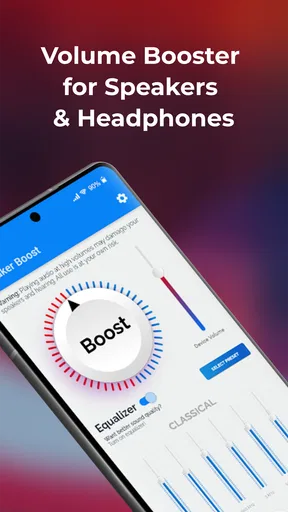
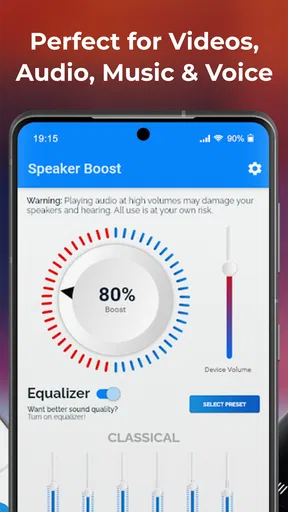
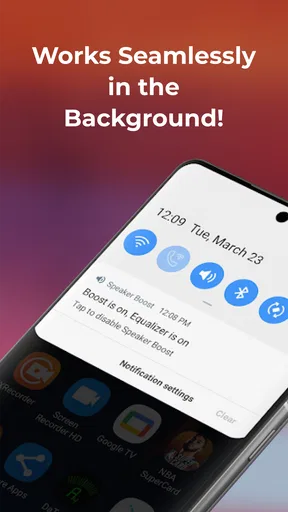

Our Review of Sound Booster・Increase Volume
 Analysis by Appyee
I installed Sound Booster・Increase Volume to see whether it could become a useful part of a real listening routine rather than just another volume slider. Developed by Prometheus Interactive LLC, this free Music & Audio app has a simple purpose: help make sound from a phone or connected speaker feel louder. Its current version is 3.7.4, it works on Android 5.0 and later, and it is rated for Everyone.
That narrow purpose is important. This is not a music editor, recording studio, equalizer suite, or publishing tool. I would describe it as a small finishing tool for playback: you start with a song, podcast, video, audiobook, or presentation, then use the app when the device’s normal volume feels insufficient. In my experience, that makes it most interesting for everyday listening and quick creative handoff situations, such as checking a soundtrack on a phone speaker before sharing a video.
Where the app fits in a creative listening workflow
The app has attracted a 4.8 average from around 420 thousand ratings and has passed 10 million installs, which suggests that its straightforward idea connects with a large audience. I can understand why. There is no need to learn a complicated production interface before testing it. The starting point is simply the sound you already want to hear, with the booster acting as an extra control layer.
For a creator, that can be useful at the beginning of a project. Imagine I have finished a short clip on my phone and want to check whether its voice is understandable while standing in a noisy kitchen. I do not necessarily need to reopen the editing project or change the original audio. I can play the clip and use the booster as a quick listening aid. That does not replace proper mixing, but it can reveal whether the result remains usable on a small speaker.
I also found the app more practical for temporary situations than for permanent sound design. If a podcast episode is quiet, a lecture recording lacks presence, or a Bluetooth speaker sounds restrained, a volume booster can be a convenient first step. The key is to treat it as playback assistance, not as a repair tool that magically restores missing detail.
The best starting habit is to raise the level gradually while listening to familiar material. A track with clear vocals is better for judging the effect than a heavily compressed song with a dense bass line. I would begin with the phone’s ordinary volume, open the booster, and increase it only until speech or music becomes comfortable. That approach makes it easier to notice when loudness turns into harshness.
What it can and cannot do for source material
Volume and quality are not the same thing. If a recording is muffled, distorted, badly balanced, or missing bass, making it louder will not correct those problems. In some cases it makes them more obvious. This is why I would use the app after editing, not instead of editing. A creator should still adjust the original project in a proper audio editor when the problem is the mix itself.
The same distinction matters with hardware. A phone speaker has physical limits, and a small Bluetooth speaker cannot produce deep, clean bass simply because an app asks for more output. The booster may make the signal feel stronger, but the speaker still determines how that signal is reproduced. When I wanted a cleaner improvement rather than only extra loudness, moving closer to the speaker or using better headphones was often the more sensible choice.
That trade-off is easy to miss because a louder result can seem better during a quick comparison. I recommend switching back to normal volume after a few seconds. If the boosted version sounds aggressive, rattly, or tiring, the gain is too high for that device. This is especially relevant for spoken-word work, where clarity matters more than sheer volume.
Using it while making and checking content
Sound Booster・Increase Volume works best in the middle of a simple playback workflow. I might finish a voiceover in another app, export the clip, and then play it through the phone with the booster enabled. That gives me a fast second opinion from the same device many viewers may use. It is not a substitute for headphones, studio monitors, or a calibrated test, but it is a useful reality check.
One non-obvious benefit is that it encourages device-specific checking. A mix that sounds balanced through headphones can feel weak through a phone speaker. Boosting the playback slightly can help me decide whether the voice remains intelligible without forcing me to alter the source immediately. If the content only works when pushed very hard, that is a warning that I should revisit the recording or mix rather than relying on the booster for delivery.
I would also use it when reviewing a draft presentation in a room where the built-in speaker is not quite enough. The app can make a quick rehearsal more convenient, particularly when I am checking timing, narration, or whether a transition sound is audible. For an actual public presentation, however, I would prefer the venue’s audio system or a dedicated speaker. A phone-based boost is a backup, not a dependable replacement for proper amplification.
Another practical scenario is listening to an audiobook while doing household work. Spoken content often benefits from a modest increase, but excessive gain can make consonants sharp and background noise distracting. I found that a small adjustment was more comfortable than immediately chasing the maximum possible level. The app’s value is therefore tied to restraint: it gives me more room, but I still have to choose a level that suits the material.
Iteration: testing loudness without damaging the experience
When I iterate on audio, I prefer a repeatable comparison instead of turning a control randomly. I play the same short passage at normal volume, raise the booster a little, then return to the original level. I listen for three things: whether quiet words become easier to understand, whether the speaker starts to buzz, and whether the music loses its natural balance. This simple loop tells me more than a single loudness impression.
It is also worth testing several kinds of content. A voice memo, a dialogue-heavy video, and a music track expose different weaknesses. A setting that helps a quiet interview may make cymbals or high-pitched effects unpleasant. I would not assume one level works for every app or every file. Keeping the adjustment conservative gives me a safer baseline when moving between content types.
Bluetooth introduces another useful comparison. If I am checking a portable speaker, I first listen with the speaker at a comfortable level, then make a small change through the booster. If the result becomes louder but not clearer, the speaker may already be at its practical limit. In that situation, repositioning the speaker, charging it, or choosing a better audio source may help more than adding further gain.
There is a creative lesson here: louder playback can influence editing decisions. If I judge a soundtrack only while it is boosted, I may under-mix the music or over-compress the voice. I would always make creative decisions at a normal reference level and use this app afterward for accessibility and real-world checking. That separation keeps the tool from distorting the project itself.
For safety and comfort, I would avoid leaving a high boost active while switching between apps. A quiet video followed by a loud advertisement, notification, or music track can create an unpleasant jump. I also would not use maximum amplification with headphones for extended listening. The app is more useful when treated as a controlled adjustment than as a permanent loudness mode.
Handoff, sharing, and the limits of the tool
The app is not where I would prepare a final audio file. It does not turn a boosted playback session into a professionally mastered export. For delivery, I would return to the original editor, adjust the source mix there, and export a version that sounds balanced without depending on a listener having the booster installed. That is the correct handoff for videos, podcasts, music projects, and presentations.
Still, it can support the handoff process in a practical way. Before publishing, I can play the final file through several ordinary listening setups and use the booster briefly to test whether speech remains understandable in less-than-ideal conditions. If the result only becomes acceptable after a heavy boost, I would treat that as feedback about the source. The app helps expose a problem; it should not conceal one.
This is where it differs from a conventional equalizer. An equalizer changes the balance between frequency ranges, which can sometimes improve clarity by reducing muddy low frequencies or emphasizing speech presence. A booster mainly addresses level. If my issue is that dialogue is buried under music, an editor or equalizer is usually the better choice. If everything sounds balanced but simply too quiet on a particular device, this app is more direct.
It also differs from a dedicated media player with built-in audio controls. A full player may offer playlists, playback speed, normalization, or detailed sound shaping. Sound Booster・Increase Volume is appealing precisely because it focuses on one immediate problem. That simplicity is convenient, but it also means I should not expect project management, editing timelines, file organization, or publishing controls.
The app is free to download, with optional in-app purchases ranging from $0.99 to $99.99 per item. I would pay attention to the purchase screen before committing to anything, especially because the basic purpose is easy to understand without a subscription-style workflow. For someone who only occasionally needs a louder playback level, the free starting point may be enough. A frequent user should decide whether the extra purchase value matches their routine rather than assuming more amplification automatically means better sound.
Who should use it, and who should choose another route
I would recommend it to people who regularly find that their phone, tablet, or Bluetooth speaker is a little too quiet for speech, music, or video. It is also useful for creators who want a fast, device-level check after finishing a clip. The age rating of Everyone makes it broadly approachable, although responsible listening habits still matter regardless of the rating.
I would skip it if my main goal were recording, composing, editing, mixing, or mastering. It does not replace a digital audio workstation or a dedicated editor. I would also choose another solution if I needed precise frequency control, loudness measurement, batch processing, or a dependable final-export workflow. Those tasks require tools designed to change the source, not merely the way it plays back.
People with sensitive hearing should be especially cautious. A louder signal can become uncomfortable quickly, and distorted playback is not a sign that the app is working well. I would keep the increase modest, use breaks, and prefer headphones or speakers that already sound clean at a comfortable level. If ordinary content is consistently too quiet, checking the device, the file, and the speaker may be more useful than continually increasing amplification.
One question I had before using it was whether it could improve every kind of audio. My answer is no: it can make playback louder, but it cannot restore detail that was never recorded or fix a poor mix. Another question was whether it could replace external speakers. It cannot. It may help a small speaker reach a more usable level, but hardware quality still matters more for clarity and bass.
I also wondered whether it belonged in a publishing workflow. Only indirectly. I would use it for previewing and stress-testing a finished piece, then make any real corrections in the original production app. That distinction keeps the final file independent from a playback booster and gives listeners a more consistent result.
My creator verdict
After using Sound Booster・Increase Volume, I see it as a focused utility rather than a complete audio solution. Its strength is immediacy: when a phone or connected speaker feels too quiet, it gives me a straightforward way to test a stronger playback level. The large user base and 4.8 average suggest that this simple job is being handled in a way many listeners appreciate.
My recommendation comes with one condition: use it as a listening aid, not as a shortcut around good production. For checking dialogue, rehearsing a presentation, hearing an audiobook during chores, or previewing a finished video on modest hardware, it earns a place in my toolkit. For editing a mix, fixing distortion, or preparing professional delivery, I would move to a dedicated audio application instead.
In the end, the app is most valuable when it answers a small, real-world question: “Can I hear this comfortably on the device in front of me?” If the answer is yes after a careful adjustment, it has done its job. If the answer requires pushing the sound until it becomes harsh, I would take that as a reason to improve the source or the hardware. That balanced approach is what makes this free Music & Audio app useful without overstating what a volume booster can achieve.
Verdict
Strengths of Sound Booster・Increase Volume
- Boosts quiet audio beyond the device’s standard volume limit.
- Simple controls make volume adjustments quick and easy.
- Useful for videos, podcasts, music, and spoken audio.
- Works with many common headphones and Bluetooth speakers.
- Compact interface uses little storage and system resources.
Limitations of Sound Booster・Increase Volume
- Excessive amplification can cause distortion or crackling.
- May reduce sound quality on some devices or headphones.
- High volume levels could risk hearing damage.
- Compatibility may vary across Android versions and devices.
- Some features may require ads, purchases, or premium access.
Other Releases by Prometheus Interactive LLC
View All
Screen Recorder: Facecam Audio
Video Players & Editors4.4

GPS Navigation: Live Earth Map
Travel & Local4.0

Logo Maker : Graphic Designer
Business4.6

Cute Lock Screen & Wallpapers
Beauty4.6
Similar Picks in This Category
View All
YouTube Music
Google LLC4.4

Samsung Music
Samsung Electronics Co., Ltd.3.8

Spotify: Music and Podcasts
Spotify AB4.3

JioSaavn - Music & Podcasts
Saavn Media Limited4.3

Lark Player:Music Player & MP3
Lark Player Studio - Music, MP3 & Video Player4.6

StarMaker: Sing Karaoke Songs
SKYWORK AI PTE. LTD.4.3
Frequently Asked Questions
What is Sound Booster・Increase Volume, and how does it work?
Sound Booster・Increase Volume is an audio-enhancement app designed to make music, videos, podcasts, games, and other media sound louder on a compatible Android or iOS device. After opening the app, users can usually adjust a volume boost control or choose an audio preset. The result depends on the phone, headphones, operating system, and the media player being used.
Can Sound Booster・Increase Volume make every sound louder?
The app may improve the perceived loudness of supported media, but it cannot guarantee the same result for every sound source. Some phones limit maximum output through hardware or system-level protections, while certain apps process audio independently. Notifications, phone calls, alarms, Bluetooth devices, and streaming services may respond differently. It is best to test the booster with your preferred headphones or speaker.
Is Sound Booster・Increase Volume safe for my phone and hearing?
Using a volume booster at a moderate level should not normally damage the phone, but excessive amplification can cause distortion, unpleasant sound, or increased battery and speaker usage. More importantly, listening through headphones at high volume may harm your hearing over time. Start with a low setting, increase it gradually, and take regular breaks. Stop using the booster if the audio becomes harsh or uncomfortable.
Does Sound Booster・Increase Volume work with headphones, Bluetooth speakers, and built-in speakers?
Compatibility can vary depending on the device and connection method. The app may work with built-in speakers, wired headphones, wireless earbuds, and Bluetooth speakers, although the final volume is also controlled by the connected accessory. Bluetooth devices can have their own volume limits, codecs, and audio processing. If the boost seems ineffective, check both the app and device volume controls.
Is Sound Booster・Increase Volume free to download, and are there advertisements or in-app purchases?
The app may be available to download at no initial cost, but users should review its store listing before installing because pricing, advertisements, subscriptions, and premium features can change. Some versions may restrict advanced controls or remove ads through an in-app purchase. Check the permissions, subscription terms, cancellation instructions, and developer information carefully so there are no surprises after downloading.
